> For the complete documentation index, see [llms.txt](https://docs.itheum.io/product-docs/llms.txt). Markdown versions of documentation pages are available by appending `.md` to page URLs; this page is available as [Markdown](https://docs.itheum.io/product-docs/pre-aithra/pre-aithra-integrators/trailblazer-guides/how-to-view-a-trailblazer.md).
# How to view a Trailblazer
The owner of an Itheum Trailblazer can choose to view the raw data of the Data NFT or explore an intuitive interface that presents the Data Stream in a more absorbable format. This refined view is available on the [Itheum Explorer](/product-docs/pre-aithra/pre-aithra-apps/itheum-explorer.md). Once you procure a data NFT you can either:
**I. View Raw Data on the Data Dex:**
1. Visit the [Data Dex](https://datadex.itheum.io/), login and browse to the wallet section, you will be able to view your data NFT here.
2. You can now click on View data and sign the transaction to prove ownership. Upon concluding the signature the raw data stream is available for view (via a download).
You can also click on the "Explore" button that then takes you to the Itheum Explorer, for a more visually intuitive interface.
**II. View/Interact with a refined view on the Itheum Explorer**
1. Browse to the [Itheum Explorer](https://explorer.itheum.io/) and Click on "Log in".
2. Select your desired wallet
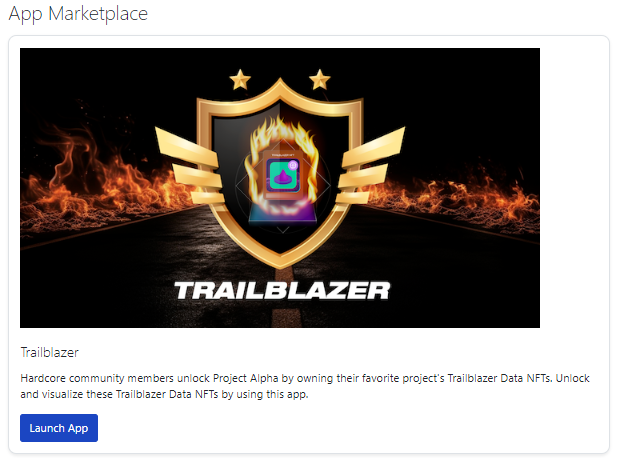
3. Once logged in click browse to the Itheum Trailblazer and click on "Launch App".
4. You will then see a list of supported Trailblazers and an indication of if you own the Trailblazer in your wallet.
5. Click on "View Data" to launch the visualization for the Trailblazer. You will be prompted to sign a transaction to prove ownership.
6. You have now launched the Trailblazer visualization wherein you can participate/interact with various activities exclusive to the project Trailblazer holders.
Users can Interact With the following events.
1. **Quests**
The Quests component enables TrailBlazer holders to Enter the Quest Competition by clicking "Join Quest" in the “Trailblazer Quest” block. Follow the instructions provided in the Description of the task and then submit your response in order to be validated. Do not submit a response before checking if it meets all of the criteria presented in the description of the task. For any questions, please ask the support team on Discord or Telegram.
2. **Leaderboards**
The leaderboard component shows the top 10 competitors with different points.
There will be a competition with 10 tasks, and each task is evaluated at 1000 points. Everyone that is following the task description and whose submission is successfully validated will equally split the 1000 points.
At the end of each Quest competition, each point will have a token value, and the points will be automatically converted to ITHEUM tokens which can be claimed in the Claims Portal on Itheum Data NFT Marketplace. The distribution of the tokens would be made to the addresses that actively participate in the quest competitions inside the Trailblazer NFT